 Launch plans for businesses in Northern Cyprus
“Who owes me how much?”
You check notebooks, Excel sheets and old messages one by one to find payments.
WITH AI ORDER
Your receivables in one view.
See outstanding balances by customer and track each currency separately.


Manage quotations, sales and payments for your returning customers in one place. See outstanding balances and print directly onto your existing pre-printed invoice books.
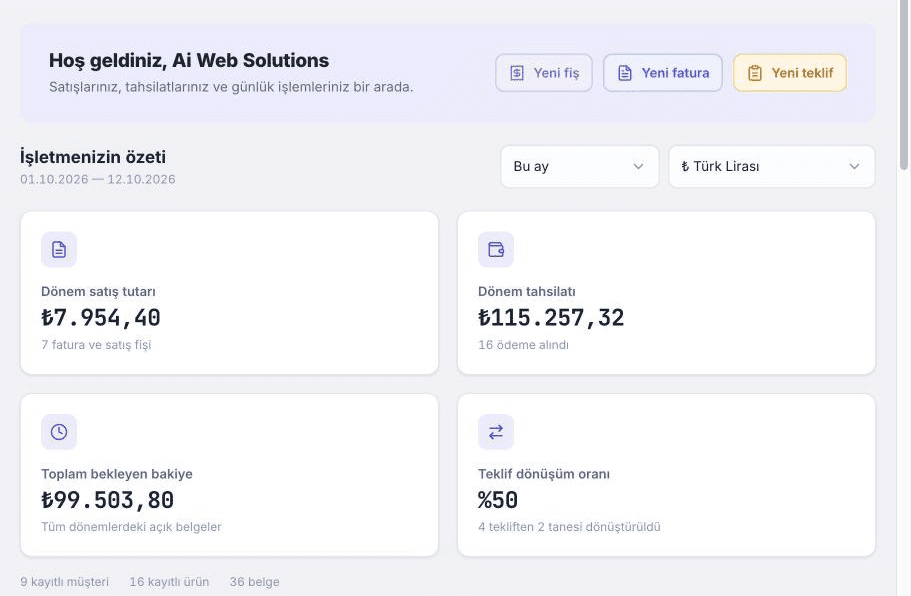
Sales and paymentsTrack in one place
Customer balancesSee at a glance
The quotation is in a file, the payment in a message, the balance in a notebook. Track every step in one place.
You check notebooks, Excel sheets and old messages one by one to find payments.
See outstanding balances by customer and track each currency separately.
Once the customer approves, you enter the products and amounts again in a sales document.
Create a sales receipt or invoice from the quotation and keep the source document linked.
You look up the customer’s terms and calculate prices again for each order.
Apply the customer’s discount to the document and see the total alongside quantities and prices.
Import product, customer and document records using a template instead of entering the same details again.
Keep track of the same sale from customer approval to a partial payment.
Illustrative sales example · Example Trading
Select products and a customer, then apply prices and discounts.
Create a sales receipt or invoice from the quotation while keeping the source document linked.
Link the payment to the relevant document and see the remaining balance.
Download a PDF or use your template to print onto pre-printed paper.
Explore quotations, partial payments and pre-printed invoice printing together in your demo.
If you use tax-authority-approved, pre-printed invoice books, you can create an AI Order print template to match your paper. The system prints only the variable details in the positions you choose.
Custom sizes and layoutsA4, A5, 80 mm or your own paper size.
Align using a reference imageUse a photo of your pre-printed document as a guide.
Print only variable fieldsPrint the customer, line items, amounts and other fields you select.
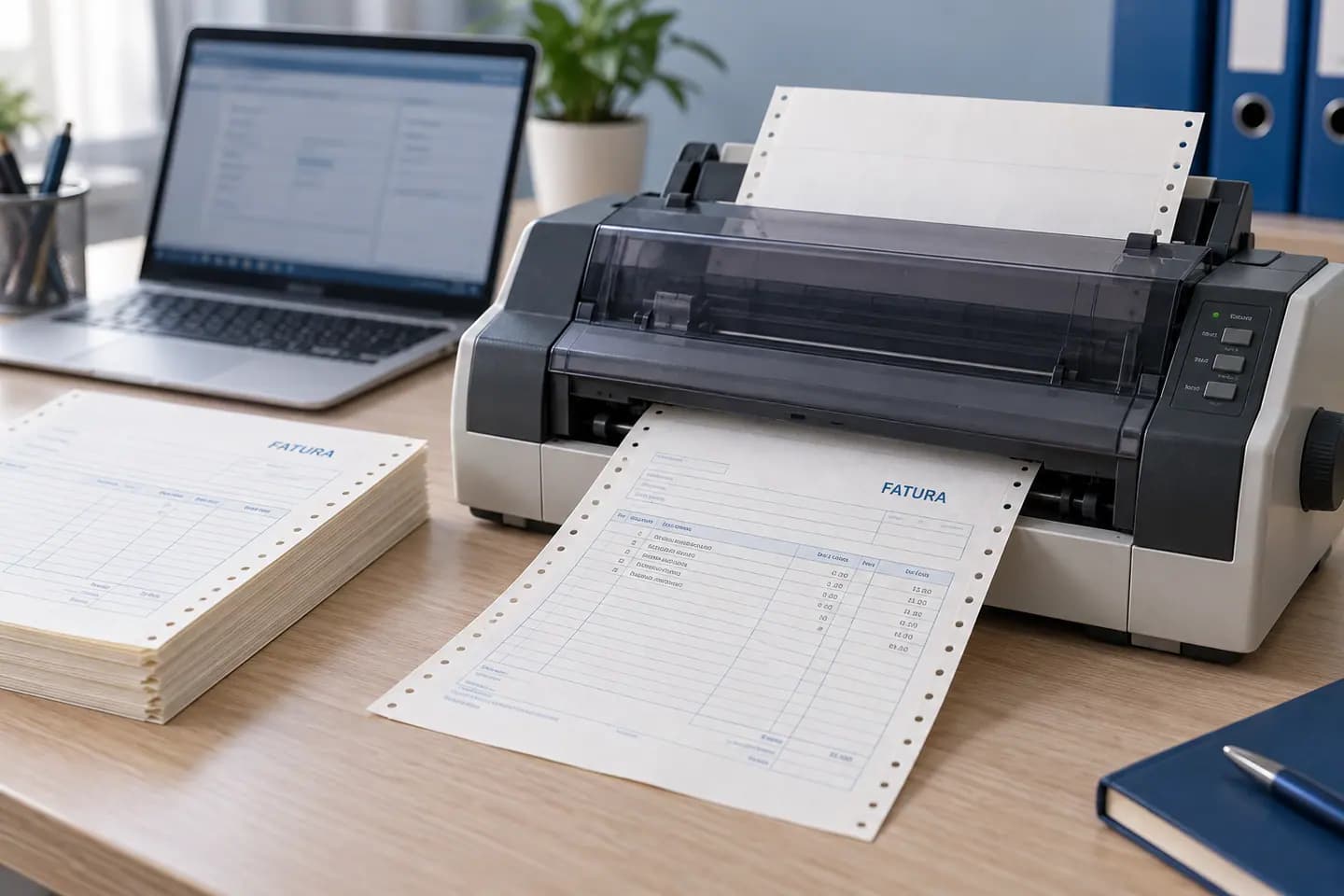
See a template tailored to your paper and explore the printing workflow in a demo.
Explore screenshots from the real AI Order application. The screenshots show the Turkish interface.
View outstanding balances and document statuses by customer. Track Turkish lira, euro, US dollar and sterling amounts separately.
Explore this feature using your own business workflow.
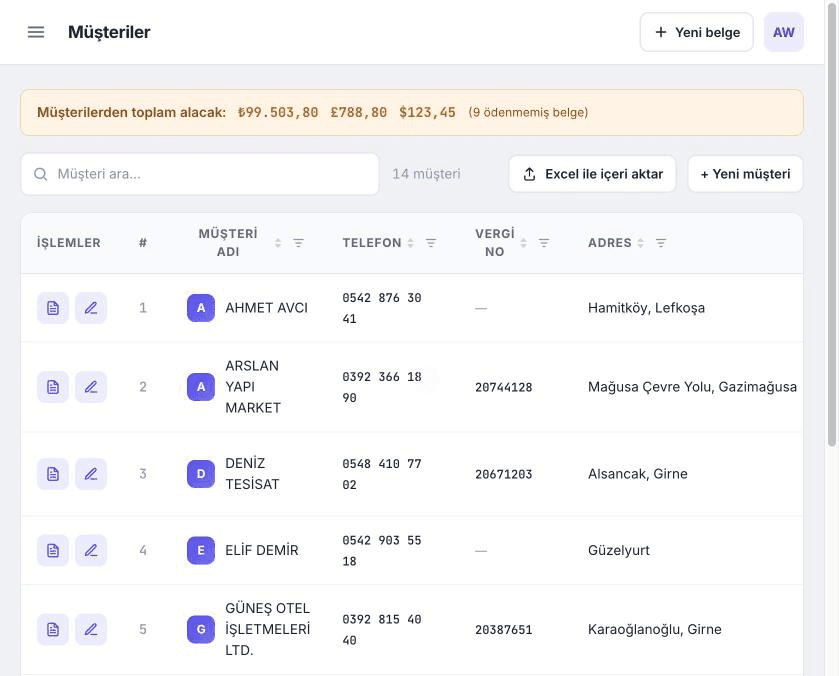
Track TRY, EUR, USD and GBP balances separately.
Import products, customers and documents using a template.
Apply customer terms to the sales document.
Send your customer a statement by PDF, email or WhatsApp.
Move between line items with Tab, Enter and Space.
See which quotation a sale came from.
Your customers return, their orders change and their payments arrive in instalments. AI Order helps you keep this daily B2B workflow organised.






Launch plans for businesses in Northern Cyprus. No per-document fees.
Pricing will be published soon. For plan and pricing details, get in touch with us.
Keep daily documents and customer accounts organised.
Request a Starter demoManage busy sales, payments and customer accounts.
Request a Business demoFor larger teams and a higher volume of documents.
Request a Professional demoWhat you may want to know before getting started.
I have another questionAI Order supports templates that print only variable fields onto pre-printed paper. You can set the paper size and position of each field. Check official usage requirements against local rules with your accountant.
Turkish lira (TRY), euro (EUR), US dollar (USD) and British pound (GBP). Payments and customer balances are tracked separately for each currency.
Yes. You can import product, customer and document records using standard Excel templates. The proposed Starter plan import limit is 500 rows.
Yes. Convert quotations into sales receipts or invoices and keep the source documents linked.
The current feature documentation does not list an official e-invoicing integration. AI Order supports document preparation, printing, PDFs and pre-printed invoice workflows; any legally required integrations should be assessed separately.
Contact us to request a demo. We can discuss a suitable workflow based on your documents, payment tracking and pre-printed invoice printing needs.
Let’s explore how AI Order fits your business. See your sales, payment tracking and pre-printed invoice workflow in a demo.